API and MCP tokens
A token lets a script, an integration or an AI tool work with your AgentOS data without signing in. Most AI tools do not need one: they sign in with OAuth. See Connect AI (MCP).
Where do I find my tokens?
Click your avatar at the foot of the left rail, then API & MCP tokens. The list shows every token you created, with its name, description and permissions.
How do I create a token?
- Click New API/MCP token.
- For a script or an integration, choose API Token. For an AI tool that signs in with a token, keep MCP, choose Other... and then API Token.
- Give the token a Name and a Description, so you know later what uses it.
- Choose its Permissions:
- All permissions: everything you can do yourself.
- Read only: read data, change nothing.
- Custom: choose per module and per operation.
- Click Create token, then copy the token.
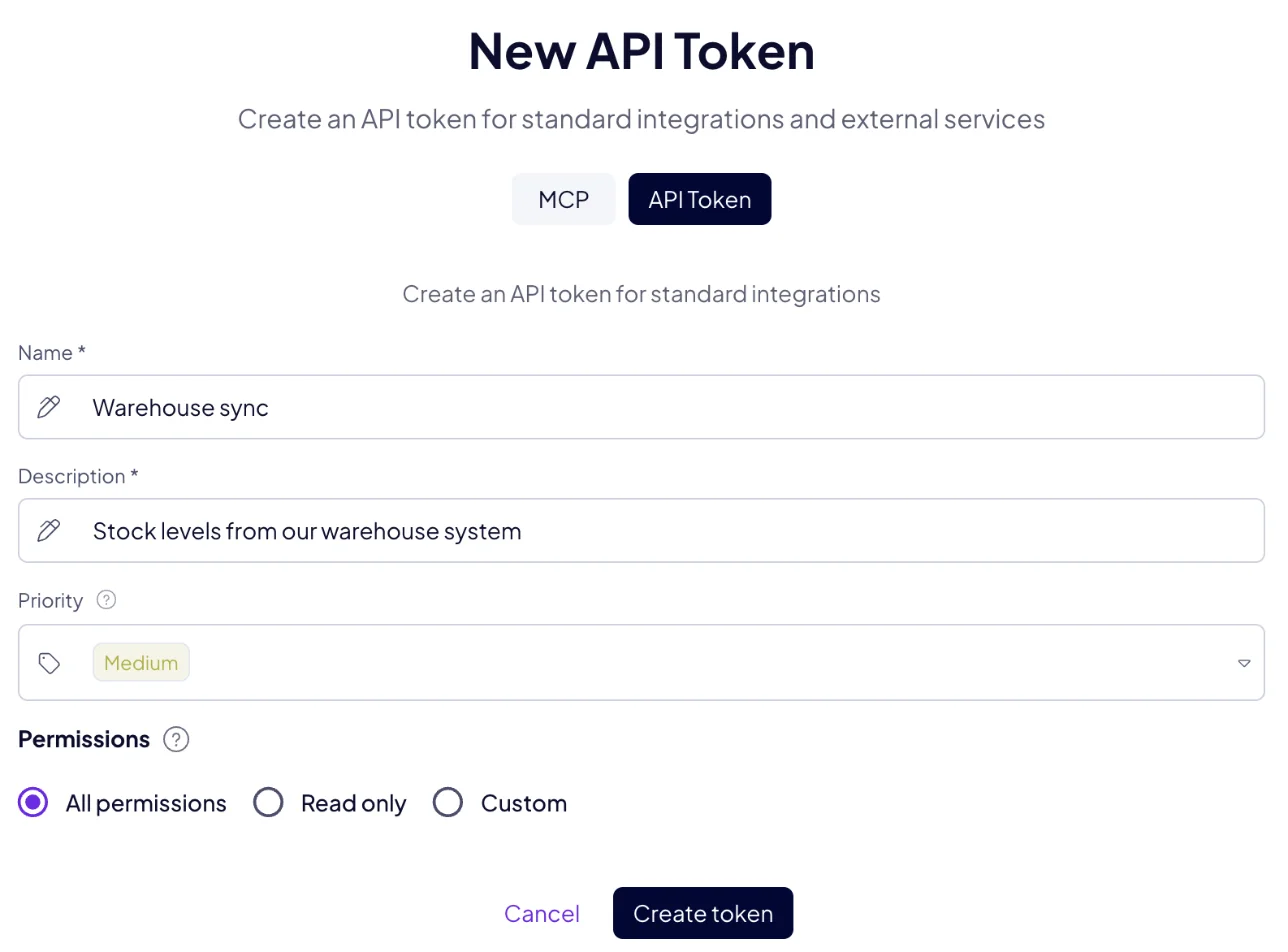
A token keeps the permissions it was created with. For different access, create a new token.
What does Priority do?
Priority matters when two sources change the same data. Data written with a higher priority stays, even when a source with a lower priority writes to the same place, so your most trusted source stays in charge. Changes made by hand in AgentOS sit at Medium.
How do I keep tokens safe?
A token grants access to your data, like a password:
- Keep it out of code you share, and out of chats.
- Give every integration its own token, with only the permissions it needs.
- Delete a token from the list as soon as nothing uses it.
How do I use a token?
Send it in the Authorization header:
Authorization: Bearer <your token>
See API for your first request, or Connect your AI tool for MCP.
