Bring AgentOS into your AI
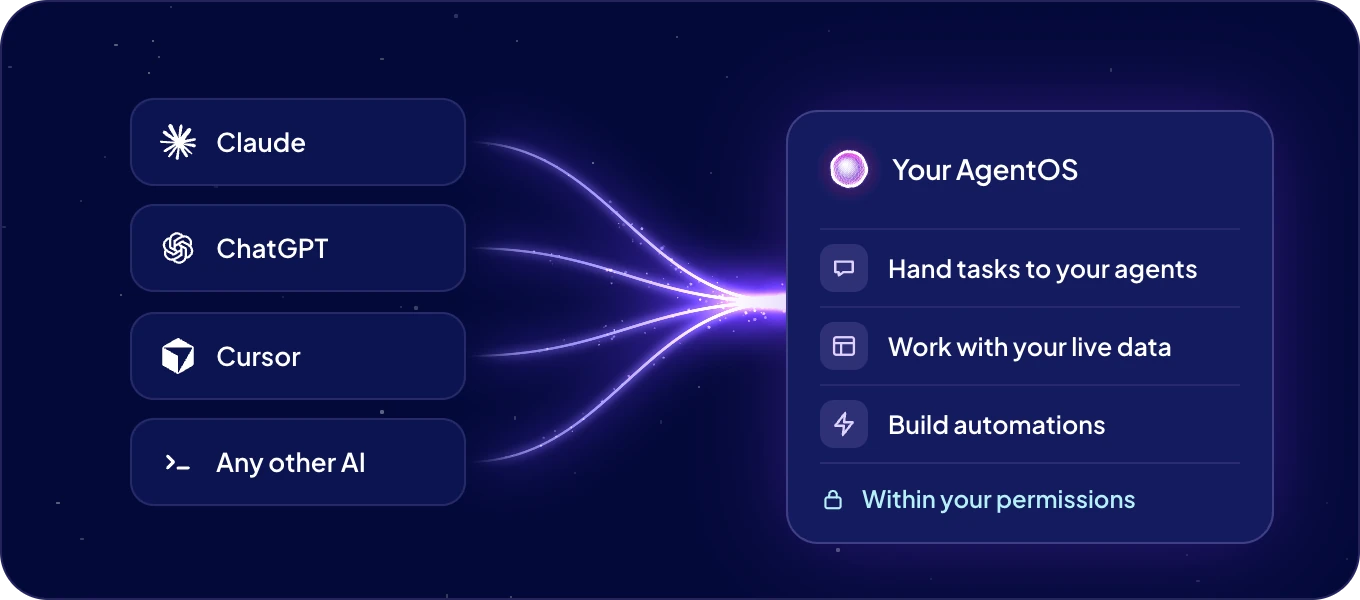
Connect ChatGPT, Claude or any other AI tool once. Then, right from its chat, hand tasks to your agents, work with your live data and build automations. Your AI tool connects through the Boost.space MCP server. MCP is the open standard AI tools use to reach other apps.
How do I connect my AI tool?
- Click Connections in the left rail, then Connect AI.
- On Bring AgentOS into your AI, click Create token.
- Keep MCP selected. Under Which AI do you want to connect?, pick ChatGPT, Claude, Cursor, v0 or Lovable, or Other... for any other tool.
- Follow the steps shown for your tool. Under Copy MCP URL, click Copy to take your address.
- Sign in to AgentOS when your tool asks, and approve the access.
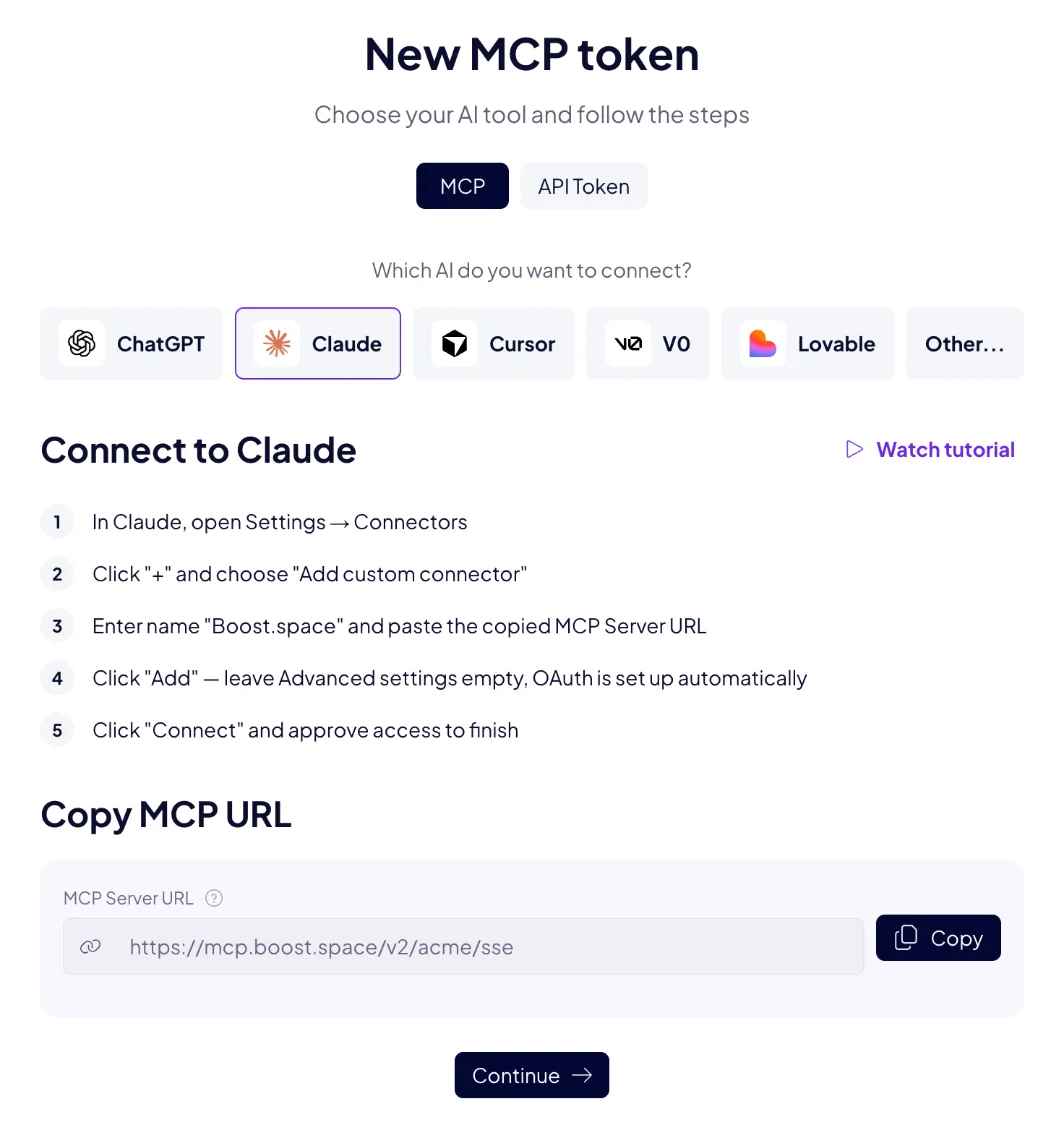
ChatGPT, Claude, Cursor, v0 and Lovable sign in with OAuth, so no token is created. Step-by-step instructions for each tool are in Connect your AI tool.
What can my AI do in AgentOS?
- Work with your data. Find, read, create and update records, and set up modules, fields, spaces, statuses and labels.
- Build automations. Describe one in plain words, and it is written, tested and switched on after you confirm. Admins can do this, signed in with OAuth or with a token that has All permissions. See Build in chat.
- Work with your agents. Hand them tasks, check what they did, and see their automations and skills.
The tools work with all your modules, including the ones you add later.
Whose access does my AI use?
Yours. Signed in with OAuth, your AI tool can do what you can do in AgentOS, and nothing more. Connected with a token, it has the permissions of that token. See API and MCP tokens.
What is the MCP server address?
https://mcp.boost.space/v2/<system name>/sse
Replace <system name> with the name in your AgentOS address. Connect AI shows the address
already filled in, under Copy MCP URL.
Next: Connect your AI tool, step by step for each tool.
