Secrets
An automation that talks to another service needs its key: a Slack address, a Stripe API key, a password. AgentOS keeps those keys as secrets, stored by name, out of the chat and out of the code.
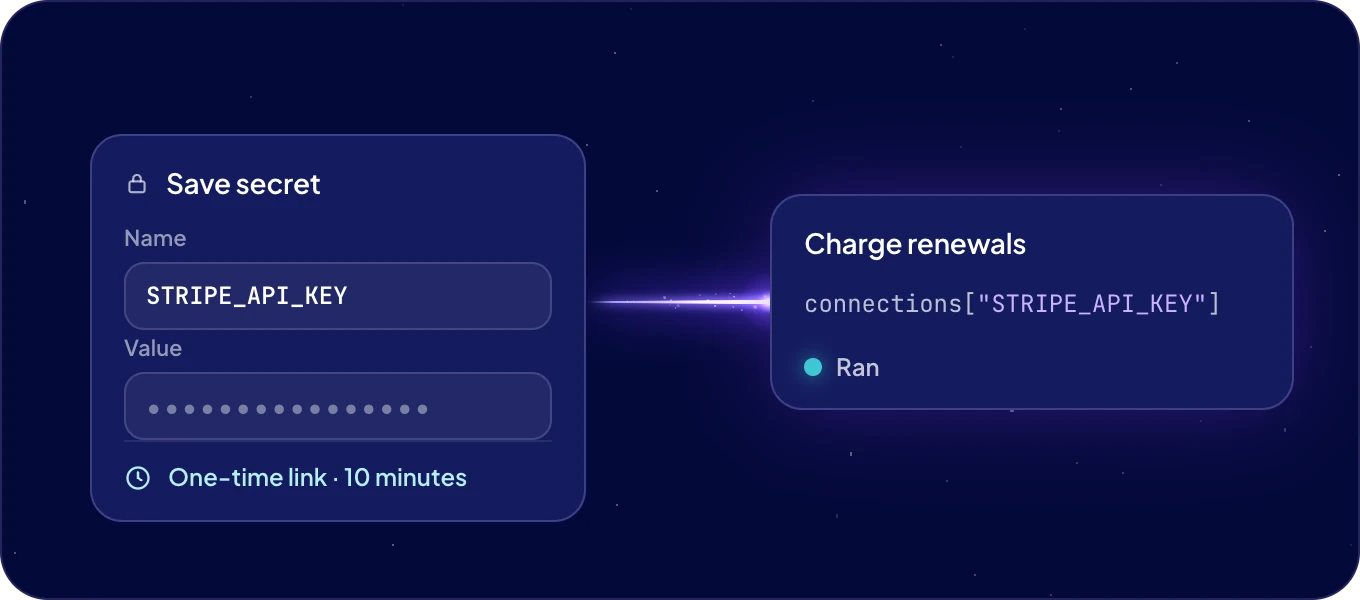
How do I add a secret?
When an automation needs a key, the agent sends you a one-time link. It opens Save secret, where you paste the value. The link works once, for 10 minutes. The value goes straight to your system, so it never appears in the chat. Then tell the agent the secret is saved, and it carries on building.
You can start it yourself too: "I have a Stripe API key. Send me a link to store it as a secret."
Who can use a secret?
A secret belongs to whoever saved it, a person or an agent, and every automation they build uses it by name. A second automation that needs the same key uses it without asking again.
How do I see or remove secrets?
Ask in Chat: "Which secrets do I have?" lists them by name, never by value. To remove one, say which: "Delete the secret STRIPE_API_KEY." To change a key, delete the secret and save the new value under the same name.
How does automation code read a secret?
For developers: at run time the code gets a connections dictionary with the secrets it uses,
by name.
def main(input):
    slack_url = connections["SLACK_WEBHOOK_URL"]
    ...
Each run happens in its own isolated environment, which is gone when the run ends.
Next: Build in chat, or Triggers and webhooks.
