Agent automations
An agent automation is a job an agent runs on its own schedule: "Every Monday at 9:00, send me last week's new leads." It runs as that agent, on the agent's instance, with the agent's skills and access.
How do I create one?
Ask the agent in Chat, or click New automation in Automations. Chat opens with the start of a sentence, for example "Every Monday at 9:00,". Finish it and send it. The agent schedules the job and tells you in the chat.
Agent automation or ACT automation?
You do not have to choose. Describe what you need, and the agent picks the kind.
| Agent automation | ACT automation | |
|---|---|---|
| Fits | Work that needs the agent's judgement every time, such as a summary or a reply. | Work that runs the same way every time, such as moving data or scoring a lead. |
| Starts | On a schedule. | On a schedule, on a change in your data, or when another app calls it. |
| Runs | As its agent, on the agent's instance. | As code, each run in its own isolated environment. |
| Tab | Agent automations | ACT automations |
See ACT automations for the other kind.
How do I read the list?
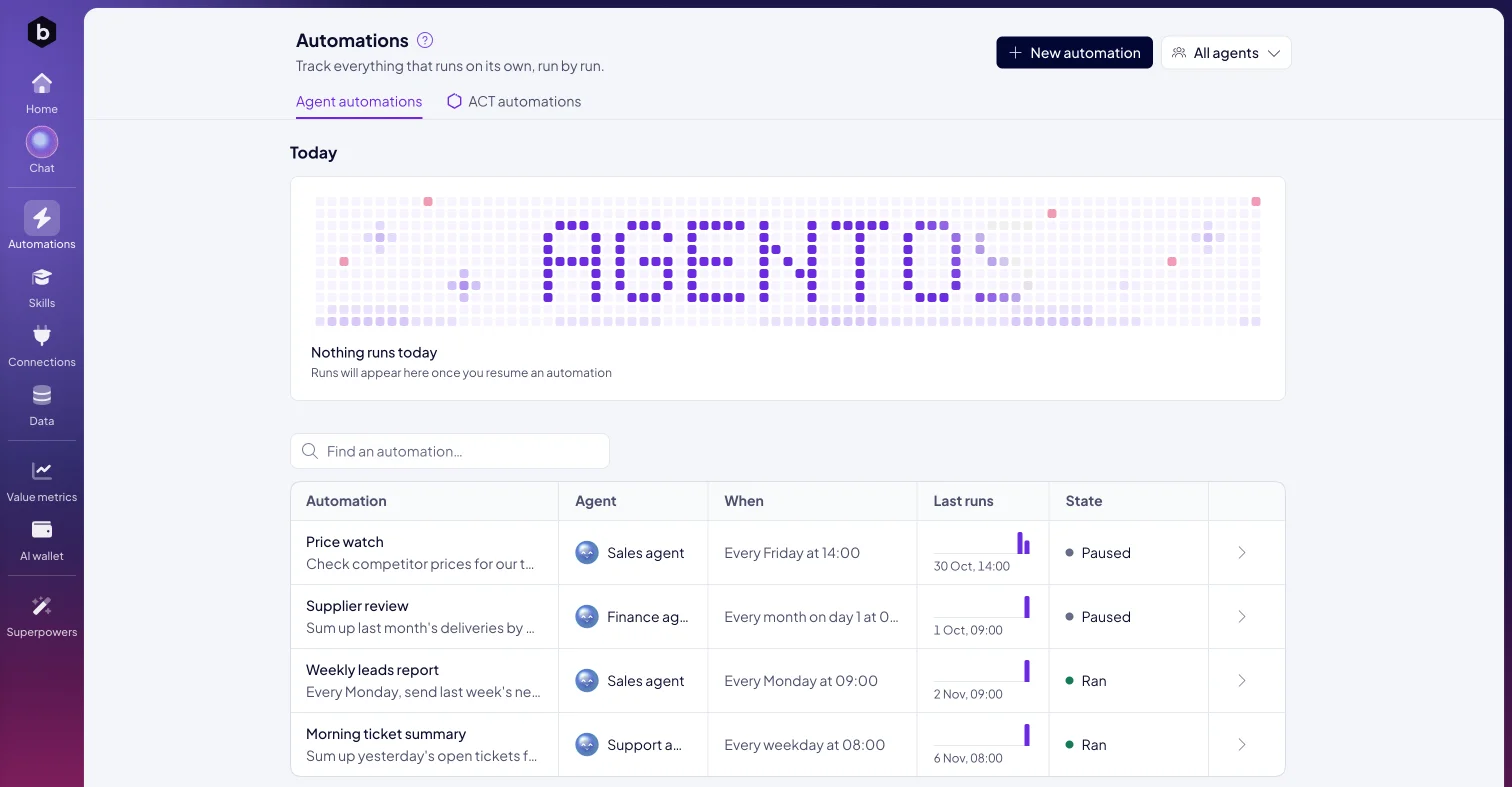
Automations in the left rail opens on the Agent automations tab. Each automation shows its agent, its schedule under When, its Last runs and its state:
| State | Meaning |
|---|---|
| Ran | The last run finished. |
| Paused | The automation is switched off until you resume it. |
| Needs a look | A run did not finish. The tab says how many need a look. |
| Not run yet | The automation has not run so far. |
Today shows what your agents run today, as Done, Running, Did not finish or Coming. Use Find an automation… to search, and the scope picker to see one agent's automations only.
How do I see every run?
Click an automation. Runs lists the latest runs, newest first, with When, Result, Wrote (the start of what the run produced) and Status. A chart of the last runs makes a change in the pattern stand out. Open a run to see its output and how it ended.
How do I fix a run that needs a look?
Open the automation and click Fix with <agent>. The agent's chat opens with a message that asks it to find out why the last run did not finish and to fix it. Send it.
How do I change or pause one?
Click Edit with <agent>. The agent's chat opens with a message that names the automation and ends with "so that". Finish it, for example "it runs at 8:00", and send it. To switch the automation off, click Pause. Resume switches it on again.
Next: Channels, or ACT automations.
