Your agent's page
Click an agent's card on Home to open its page. The top shows who the agent is and how it works. Five tiles below lead to what it does.
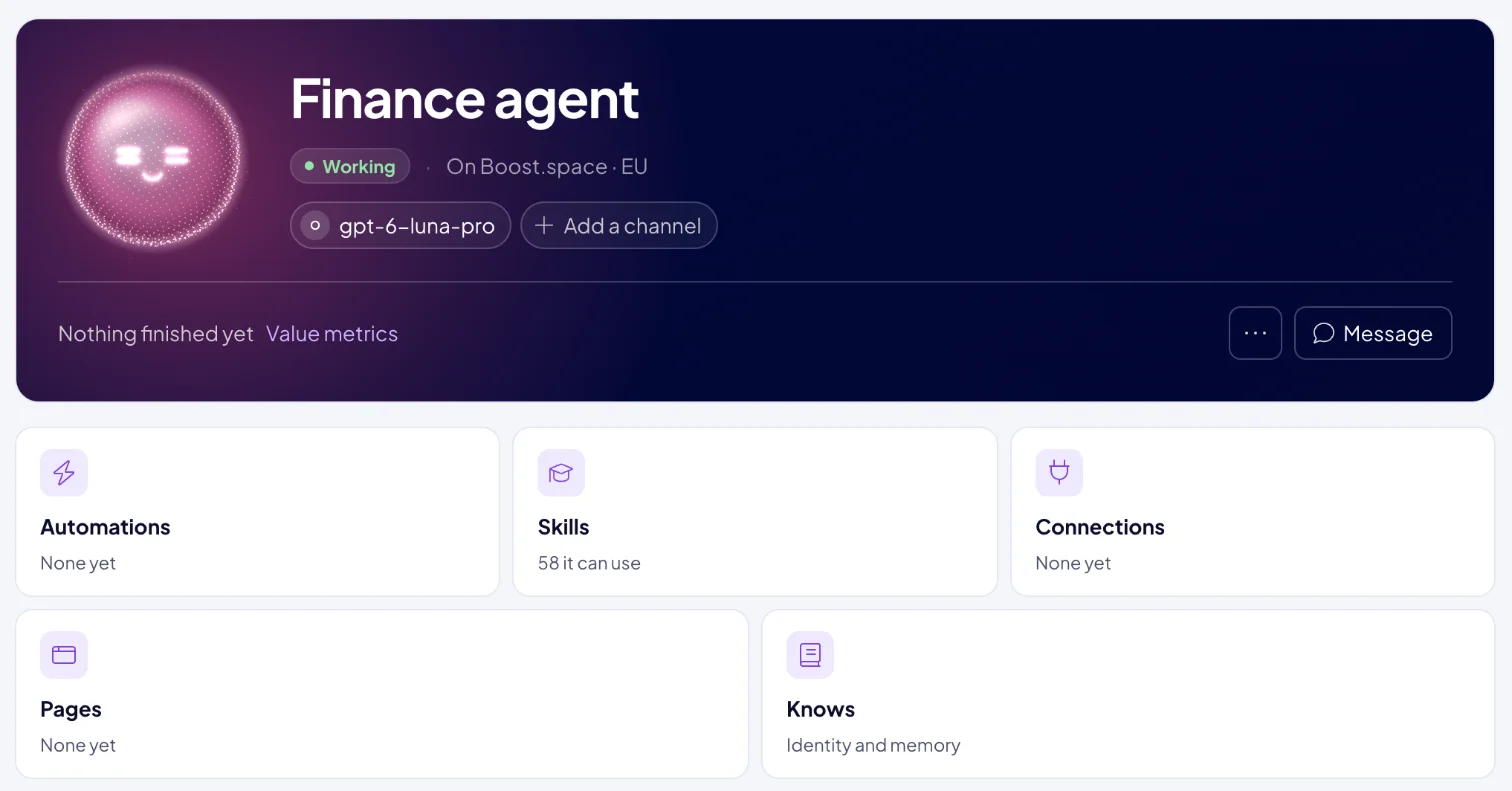
What do I see at the top?
- Face, name and status, plus the instance it runs on, for example "On Boost.space · EU".
- The model the agent thinks with. Click it to switch, as described below.
- Channels, the messaging apps where people reach the agent. Click Add a channel to connect one. See Channels.
- Message opens a chat with this agent.
The … menu has:
- Edit <name>, to change the name and face.
- Runs on <instance>, which names the instance the agent runs on.
- Remove <name>…, to remove the agent. Its schedule stops and its profile is deleted, so AgentOS asks you to confirm with Remove.
What do the tiles show?
| Tile | What you find there |
|---|---|
| Automations | The automations this agent built or runs. See Agent automations. |
| Skills | The skills this agent has. See Skills. |
| Connections | What this agent may reach, and the access it has to your data. See Connections and security. |
| Pages | Pages the agent has published for you. |
| Knows | The agent's instructions and what it has learned. |
What does my agent know?
The Knows tile opens What <name> knows:
- What the agent actually reads. The instructions you wrote when you created it.
- What it has learned. About your business holds facts it worked out and kept. About you holds how you like to be written to.
If something there is wrong, click Tell <name>. The agent's chat opens with "Remember that" in the message box, so you only finish the sentence.
Choose the agent's model
Click the model at the top of the page to open Model.
- Find a model by name, or pick one marked Recommended. Each model shows its price per million tokens in and out.
- Click Switch to <model>.
The agent uses the new model from its next message. Its spend is paid from the AI wallet, and the dialog shows what it used this period. For a model that costs more than $20 in or $100 out per million tokens, AgentOS asks you to confirm with Switch anyway.
Next: Talk to Boosty to put the team to work, or Channels to reach the agent where your team already chats.
