Settings
Everything about your system is in Settings. Click your avatar at the foot of the left rail, then the cog, System settings. Admins also find the most used settings straight in that menu.
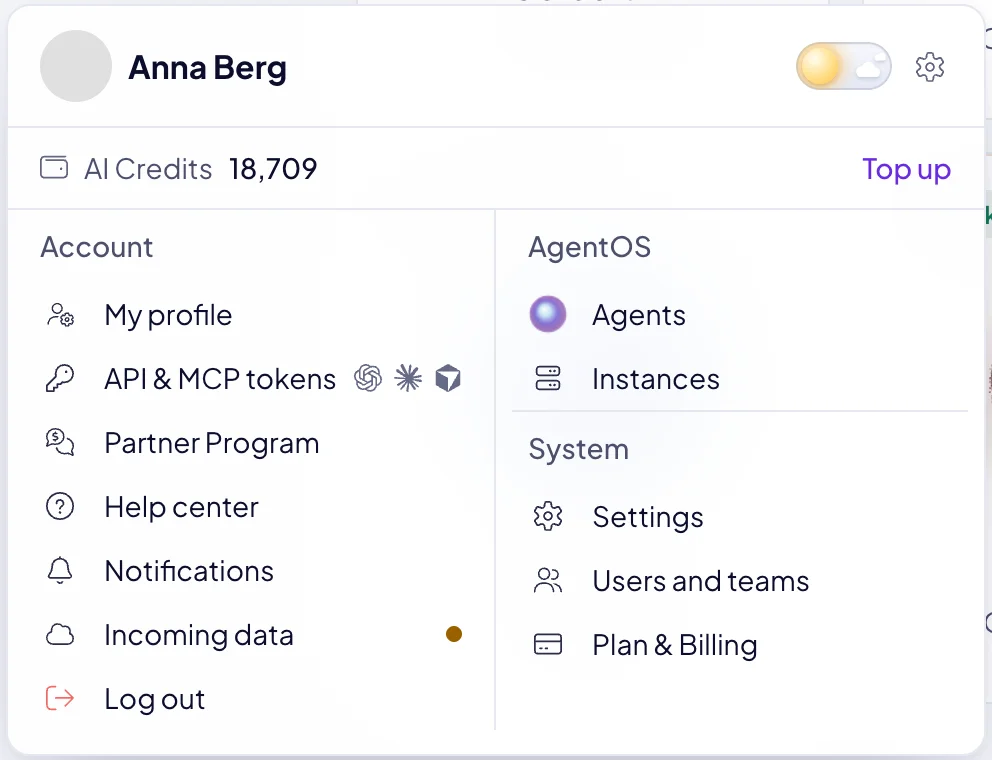
What is in Settings?
| Group | Pages |
|---|---|
| General | Main settings, Design, Users and teams, Plan & Billing. |
| AgentOS | Agents, Instances. |
| Data | New module, and under All modules the Modules, Fields, Statuses, Labels, Tables & details and Menu editor pages. Each of your modules has an entry too. |
Settings are changed by admins.
How do I rename my system?
In Main settings, change the System name. It is the name people see in AgentOS. Your system's address stays the same. Main settings also holds the default currency and the default interface language.
How do I put our brand on AgentOS?
Design sets your Brand color, your Logo for light and dark backgrounds, a Login background for the sign-in page, and your Icon and Favicon.
How do I manage agents and instances?
Agents lists every agent of your system, and New agent adds one. See Add an agent.
Instances lists the servers your agents run on, with their state:
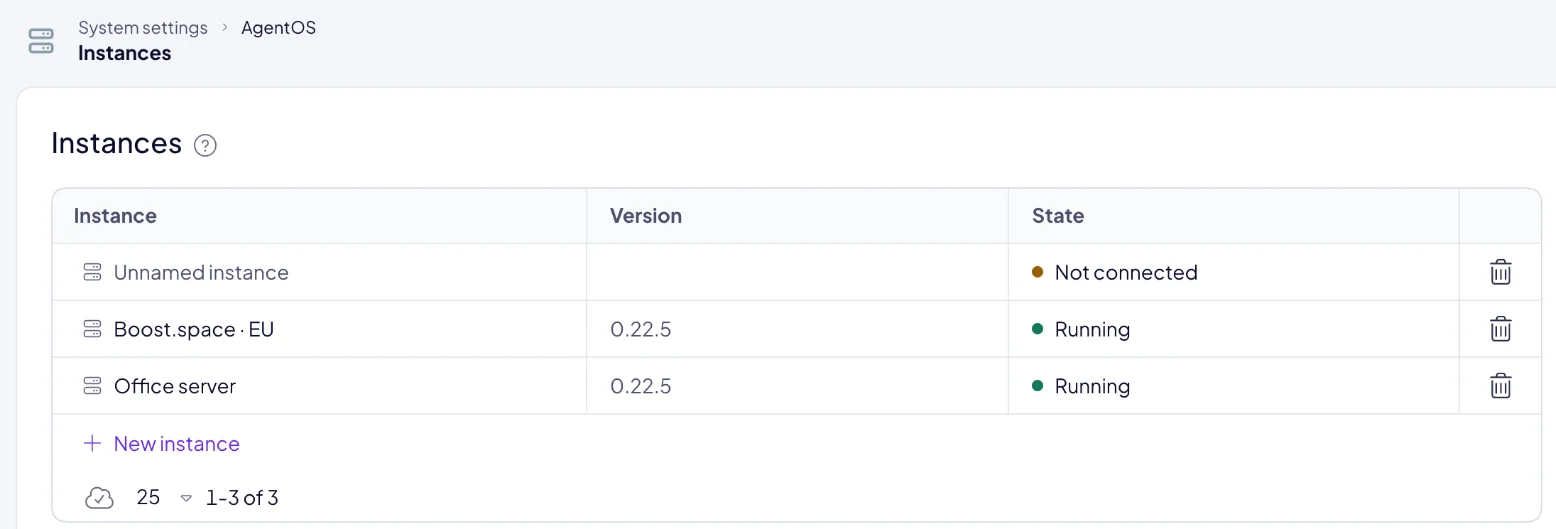
| State | Meaning |
|---|---|
| Running | The instance is up and its agents can work. |
| Starting · about 2 minutes | A new instance has connected and is starting. |
| Waiting to connect | The instance has not connected yet. |
| Paused | The instance is paused. |
| Not answering | The instance does not respond. |
| Needs a look | The instance's setup needs a fix. |
| Not connected | The instance never connected, and its connection key has expired. |
New instance connects a server of your own. When you no longer need an instance, Remove instance retires it and its keys at once. Its agents are detached, and they work again once you place them on another instance.
Where are my own settings?
Your profile, password, two-factor authentication and API tokens are under your avatar, in My profile. See Your profile and security.
Next: Users and teams, or Plan and billing.
